"Deep Work," a term coined by productivity expert Cal Newport, is the ability to focus without distraction on a cognitively demanding task. It is the state where you write your best code, craft your best essays, and solve the hardest problems.
It is also incredibly fragile.
You can block off three hours on your calendar, turn your phone on Do Not Disturb, and put on noise-canceling headphones. But the moment you command-click a link and open a new browser tab, your deep work session shatters.
Why? Because browser tabs are not just digital pages. They are context switches. And context switching is the silent killer of modern knowledge work.
The Science of "Attention Residue"
When you switch from your primary task (Task A) to look at a new tab (Task B), your brain has to physically and chemically reorganize itself.
Dr. Sophie Leroy, a business professor at the University of Washington, introduced the concept of Attention Residue. Her research shows that when you switch to a new task, your attention doesn't immediately follow you. A "residue" of your attention remains stuck on the original task.
Conversely, when you try to return to Task A, you carry residue from Task B.
Why Tab Groups and Bookmarks Do Not Fix It
Most people try to solve tab-induced context switching with organization. They use tab groups, vertical tab bars, or session managers like OneTab.
These tools solve clutter, but they do absolutely nothing to solve context switching.
Whether your tabs are color-coded into beautiful groups or scattered in a massive row, you still have to leave the page you are working on. Your eyes still leave the document. The UI still shifts completely. The cognitive load of unloading and reloading your working memory remains exactly the same.
The Browser Fix: Spatial Anchoring
If the problem is leaving your visual environment, the solution is simple: Don't leave.
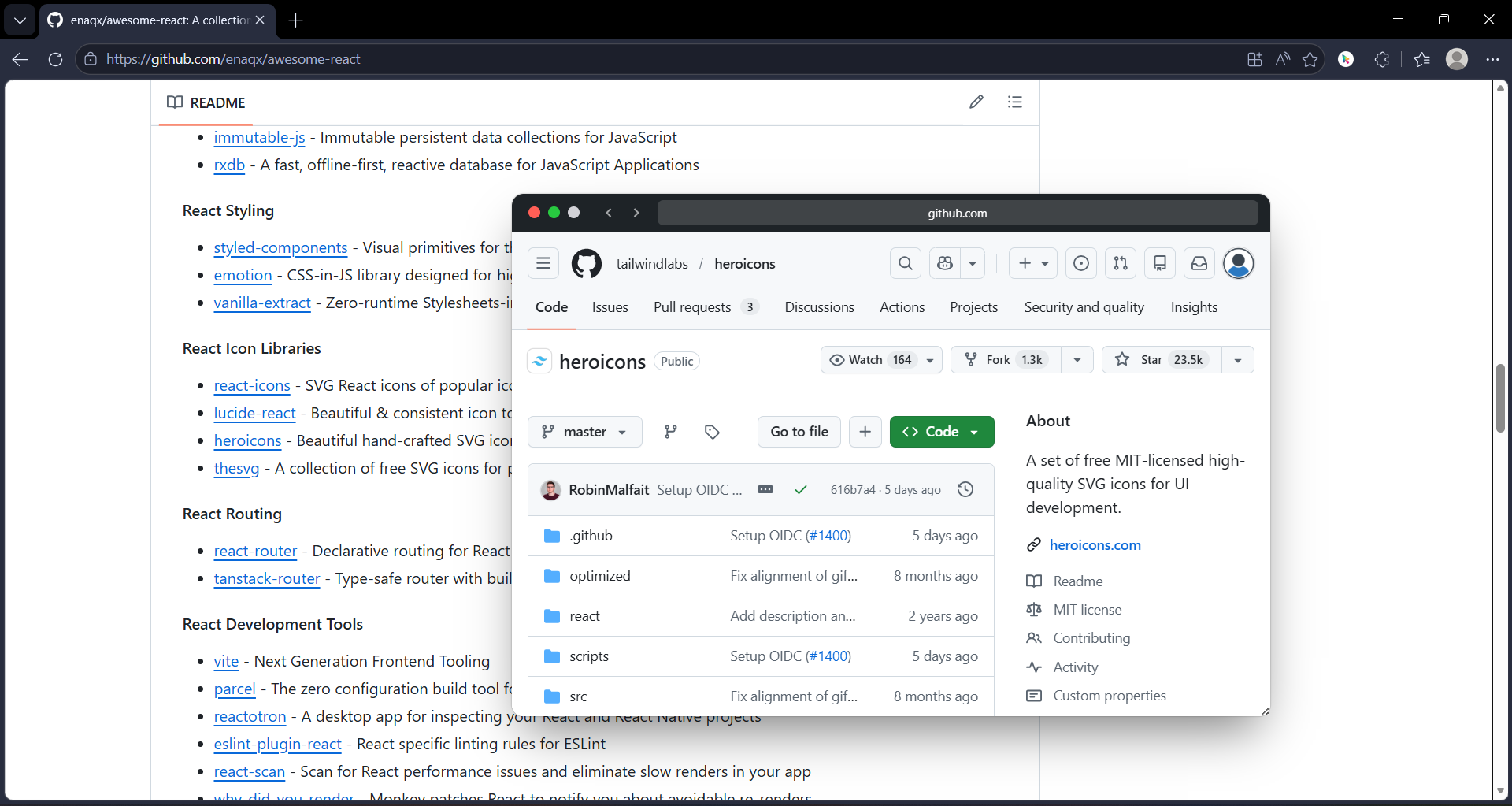
This is the psychological principle behind GoPeek. Instead of routing your curiosity to a separate digital room (a new tab), GoPeek brings the information directly to where your eyes already are. We call this Spatial Anchoring.
| The Action | Traditional Tab Workflow | GoPeek Workflow |
|---|---|---|
| Visual Shift | Total screen change. Original work vanishes. | Preview floats over original work. Periphery remains anchored. |
| Motor Action | Move mouse to top of screen, find tab, click. | Hold Shift + Hover (or Long-Press). Minimal movement. |
| Attention Residue | High. Brain unloads Task A to process Task B. | Zero. Brain processes Task B as a subset of Task A. |
| Cleanup | Must actively close tab or it stays in memory forever. | Move mouse away or release click. Preview vanishes instantly. |
3 Workflows to Reclaim Your Deep Work
Here is how replacing tabs with GoPeek link previews actually looks in practice for deep work sessions:
1. The Writer's "Glance and Go"
You are typing in Google Docs or Notion. You need to reference an article. Instead of opening it in a tab, you use GoPeek's Long-Press feature. Click and hold the link. The article pops up. You read the quote, release your mouse, and you are immediately typing again. Your hands barely left the home row.
2. The Developer's Split-Screen
You are deep in a complex code block and need to check API documentation. If you open a new tab, you lose sight of your code structure. With GoPeek, you open the docs and drag the preview to the right side of your screen. It snaps into Sidebar Mode. You now have your code and the docs side-by-side in the same tab. Your context is unified.
3. The Researcher's "Search Selection"
You encounter a term you don't understand. Usually, you would highlight it, open a new tab, and Google it. With GoPeek, you highlight the text, hold Shift, and release your mouse. A preview window immediately loads the Google Search results. You read the definition, close the bubble, and keep reading your paper.
The Bottom Line
Deep work is not just about blocking out colleagues, Slack messages, and social media. It is about protecting the micro-environment of your screen.
Every new tab is a trapdoor that drops you out of flow state. If you want to do your best work, you have to stop jumping through trapdoors. Keep your eyes on the page. Keep your context anchored.
Stop switching tabs, and start peeking.